Price evidence
Capture the price page first, then let your monitoring logic decide
ScraperFly gives pricing, ecommerce, and market intelligence teams a reliable capture layer for public product pages. The API retrieves the page state your own system needs to parse: price, currency, discount, availability, seller, product URL, timestamp, region, and the response evidence behind the change.
That keeps the workflow honest. ScraperFly is not a pricing dashboard and does not pretend to own product matching, alert rules, or competitive strategy. It helps you collect clean public page evidence so those downstream decisions are based on the same request profile every time.

What is a price monitoring scraping API?
A price monitoring scraping API captures public product, category, search, and marketplace pages so a downstream system can compare price evidence over time. The API handles the request layer: fetching the target URL, choosing the response format, using rendering when prices are built by JavaScript, preserving useful request context, and returning the captured page state to your own parser or monitoring pipeline.
The important boundary is scope. ScraperFly helps collect the page evidence. Your monitoring system decides which products match, which price change matters, which seller is authoritative, how often to check, and when to alert a buyer, merchandiser, analyst, or pricing team. That separation is useful because page capture and pricing decisions have different failure modes.
Practical takeaway: treat ScraperFly as the evidence capture layer, then keep matching, alerting, and pricing logic in the system that owns the business rules.
What data should a price monitoring workflow capture?
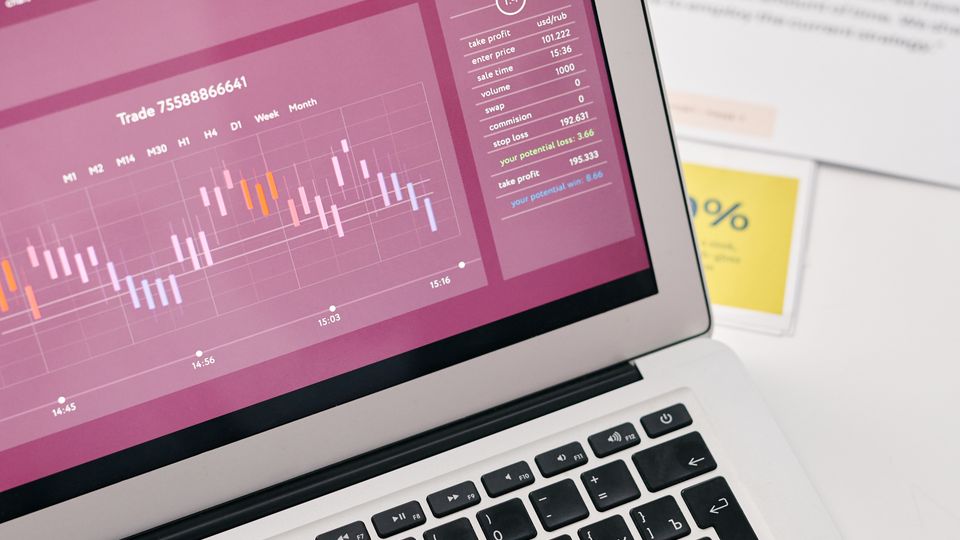
A useful price check needs more than a number. The downstream decision usually depends on product identity, page context, availability, region, currency, timestamp, seller, and whether the price was visible on the public page. A sale badge, coupon label, low-stock message, shipping note, or regional redirect can change the meaning of the same numeric price.
Before scaling, define the fields that make a price comparable. Product pages often need title, SKU, canonical URL, current price, sale price, currency, variant, seller, stock, shipping, promotion state, final URL, and capture time. Category and search pages need ranking position, product cards, pagination, and whether the monitored item appeared in the result set.
| Evidence | Why it matters | ScraperFly output to consider |
|---|---|---|
| Price and currency | Core value for comparison, alerts, and trend history | HTML, text, Markdown, or parser-ready response data |
| Sale price and discount badge | Separates permanent price movement from temporary promotion | Rendered HTML or screenshot when the badge is visual |
| Stock and availability | Explains why a price may be visible but not actionable | HTML, rendered HTML, text, or screenshot |
| Seller and marketplace context | Prevents comparing marketplace offers as if they were the same source | HTML plus final URL and response metadata |
| Region, language, and currency state | Shows whether price changed because the request perspective changed | Country routing, selected headers, cookies, and metadata |
| Visual proof | Supports manual review, disputes, QA, and high-value alerts | Screenshot or PDF |
Why do public prices change between captures?
Public prices can vary for reasons that are not scraper failures. A product page may show different currency by country, different availability by region, different offers by seller, different discounts by cookie state, or different content after JavaScript runs. Category pages may reorder items. Search pages may personalize or localize results. Marketplaces may change the winning offer while the product identity stays the same.
That is why price monitoring needs repeatable request profiles. If yesterday's request used one country, no rendering, and no cookies, today's request should not silently use a different region, a rendered browser, and a different session state unless the workflow deliberately changed. Without that discipline, downstream alerts can confuse target behavior with capture inconsistency.
Use the custom headers scraping API, sessions, and country targeting only when the monitored price truly depends on those signals.
When should price monitoring use JavaScript rendering?
Use rendering when the price, sale label, stock state, product cards, or comparison table appears only after browser-side code runs. Many ecommerce sites send a lightweight HTML shell, then hydrate product data from frontend scripts. In those cases, raw HTML may be technically successful but incomplete for monitoring.
Rendering still needs evidence. Start with raw HTML. Compare the source response with rendered HTML. If the required price fields appear only after browser execution, keep rendering for that target template. If source HTML already contains the useful price data, avoid turning every check into a browser request. That keeps routine monitoring faster, cheaper, and easier to debug.
For deeper rendering decisions, use the JavaScript rendering API and headless browser scraping API pages.
How should teams choose the response format?
Choose the response format around the consumer of the data. HTML is a strong default when your parser needs selectors, attributes, product cards, tables, and DOM context. Text or Markdown is useful for readable review and AI-assisted analysis. JSON metadata helps with operational context such as status, final URL, content type, and response size. Screenshots and PDFs help when the team needs a visual record of the public price display.
Most price monitoring systems use more than one output over time. A parser may consume HTML for routine checks. An analyst may inspect screenshots for high-value changes. A compliance or QA workflow may archive PDFs. The key is to avoid generating heavier files for every page when only a small subset needs visual proof.
| Monitoring need | Recommended capture | Why it works | When to avoid it |
|---|---|---|---|
| Parser-driven price extraction | HTML or rendered HTML | Preserves markup, product cards, labels, links, and attributes | When the workflow only needs readable review text |
| Market or category review | Text or Markdown | Makes product lists, labels, and page content easier to scan | When exact DOM selectors are required |
| Operational debugging | JSON metadata | Shows final URL, status, content type, size, and request context | When it is treated as custom product extraction |
| High-value alert verification | Screenshot | Shows the displayed price, badge, stock message, and layout state | When machine comparison is enough |
| Archival proof | Creates a reviewable record of the captured public page | When the output is only feeding an automated parser |
How can price monitoring stay affordable?
Price monitoring can become expensive when every target is treated as the hardest target. A simple product page does not need the same request profile as a JavaScript-heavy marketplace page with regional offers and visual proof requirements. The practical path is classification: keep static pages light, render only dynamic pages, use country routing only for regional price differences, and generate screenshots or PDFs only when visual evidence is needed.
ScraperFly's credit model fits that shape because teams can start with free credits, use pay-as-you-go for uneven projects, and move to monthly credits when recurring monitoring volume is proven. That is especially useful for price monitoring because early target discovery is often uneven: some sites are easy, some need rendering, some need market context, and some are not worth monitoring at all.
Use the credit cost calculator and pricing page once representative request profiles are known.
What mistakes create noisy price alerts?
Noisy alerts usually start upstream. A monitoring system may compare prices from different regions, compare a marketplace seller against a direct retailer, miss a sale badge, treat an out-of-stock price as actionable, or alert on a page that returned a fallback state. Sometimes the scraper captured a valid page, but not the page state the business expected.
Reduce noise by preserving capture evidence. Store final URL, timestamp, request profile, response format, region, status, content type, and enough page content to explain the result. For high-value changes, add a screenshot or PDF. If the same product appears in multiple templates, keep parser rules and matching logic aware of those templates instead of forcing every page through one brittle selector set.
Practical takeaway: a good price alert is not just a changed number; it is a changed number backed by comparable page evidence.
Where should a price monitoring team start?
Start with a short list of representative product pages, category pages, marketplace offers, and regions. Capture each page with the lightest request profile first. Confirm whether raw HTML contains the price fields. Add rendering, country routing, headers, cookies, sessions, or visual output only when the response proves that a control changes the evidence your monitoring system needs.
Then move the proven request profile into your own job runner, parser, warehouse, or alert pipeline. ScraperFly handles the public page capture. Your system remains the place for schedules, product matching, thresholds, dashboards, and business decisions. That division keeps the scraping layer flexible without turning it into a pricing platform you did not ask to build.