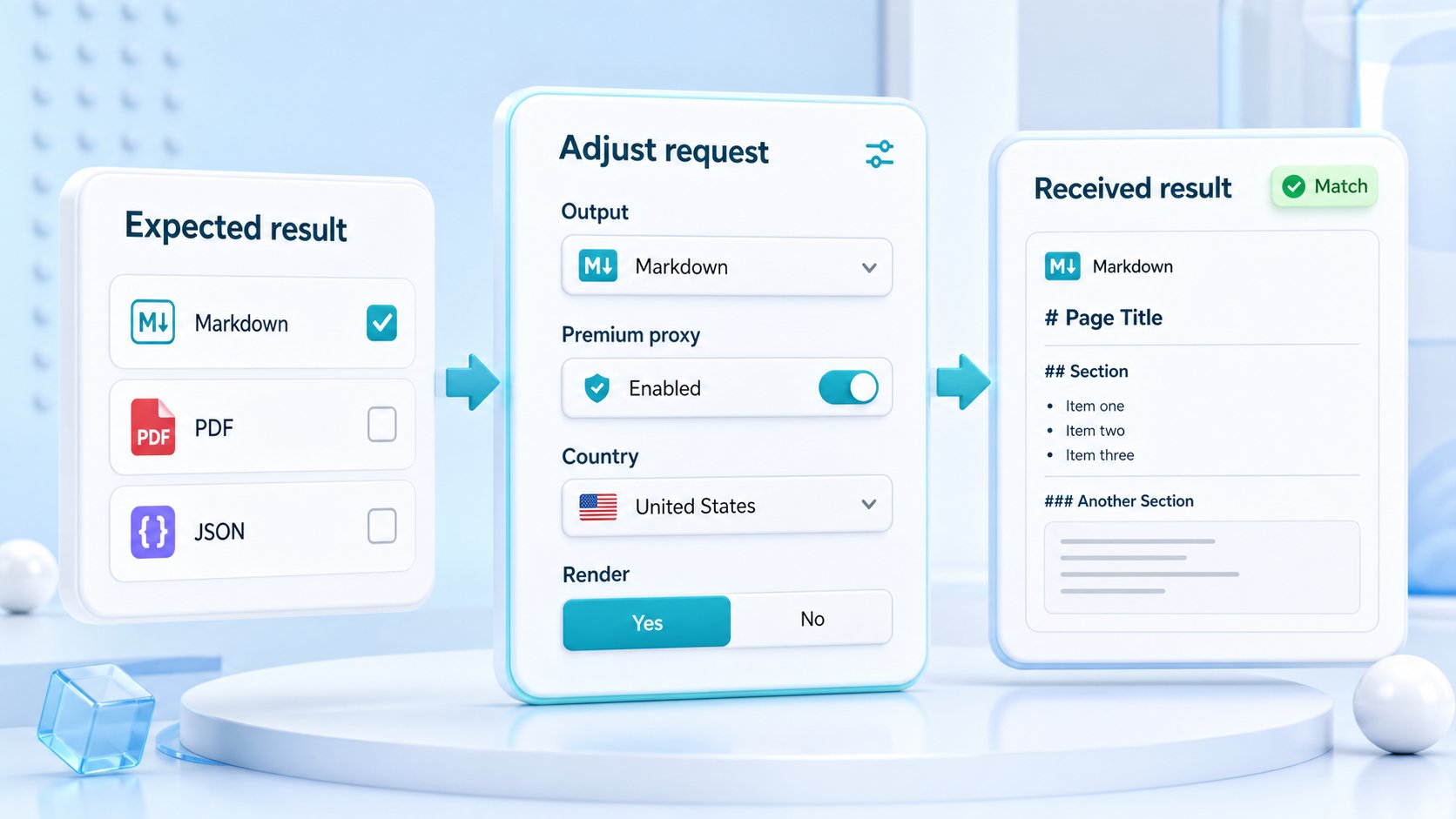
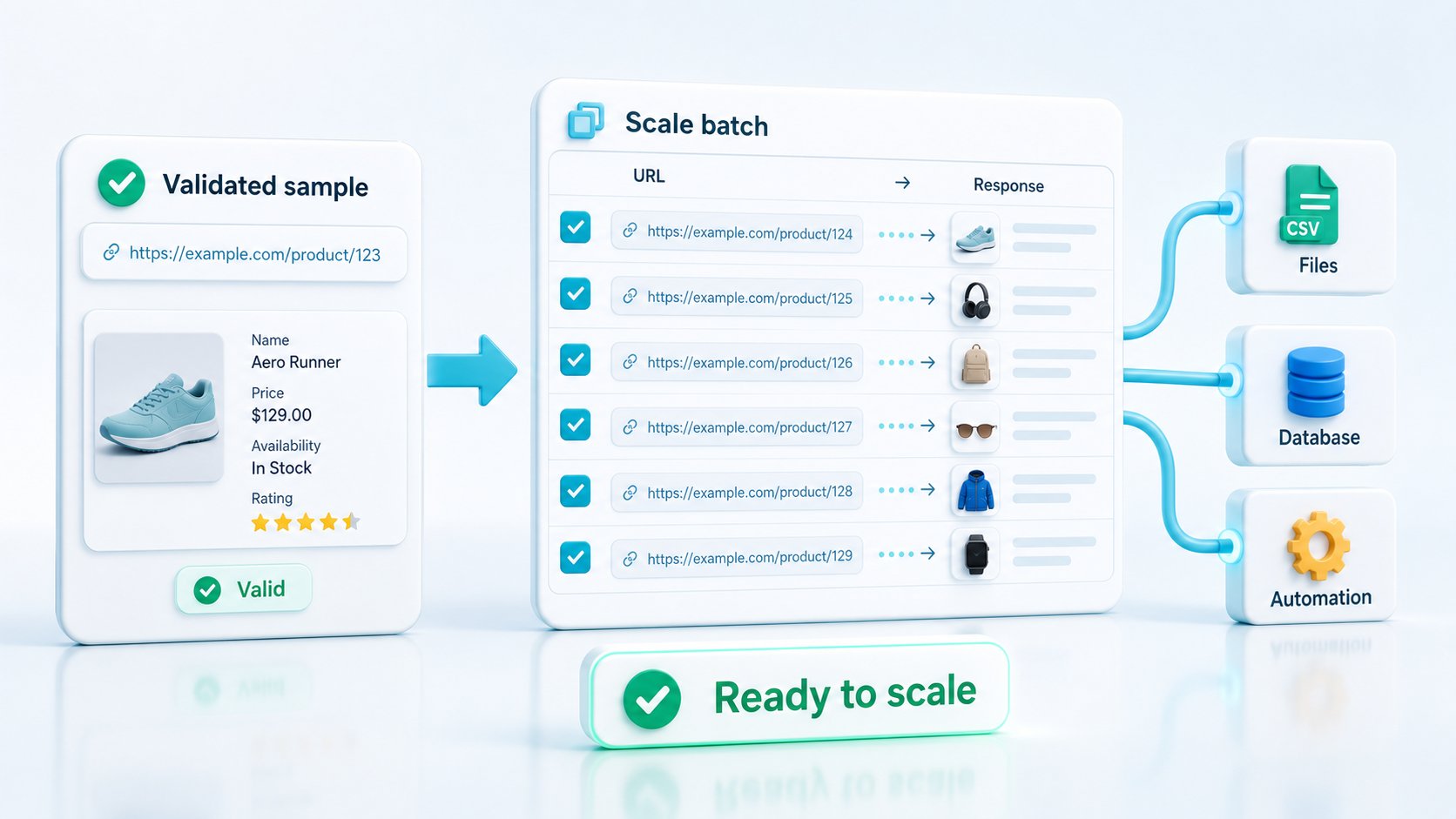
Web scraping API response formats are the output shapes returned after a public page is captured, including HTML, text, Markdown, JSON metadata, screenshots, and PDFs. The right format depends on the downstream task: parsing markup, feeding an AI pipeline, reviewing content, monitoring changes, archiving evidence, or preserving a visual record.
Choosing the response shape early prevents unnecessary cleanup. It also helps teams avoid building converters, browser capture tools, and processing logic before they know what the product actually needs.
ScraperFly lets developers test several output formats against the same public target URL. This makes format selection an engineering decision based on real responses rather than assumptions.
What are web scraping API response formats?
A web scraping API response format defines how a captured public page is returned to the client application.
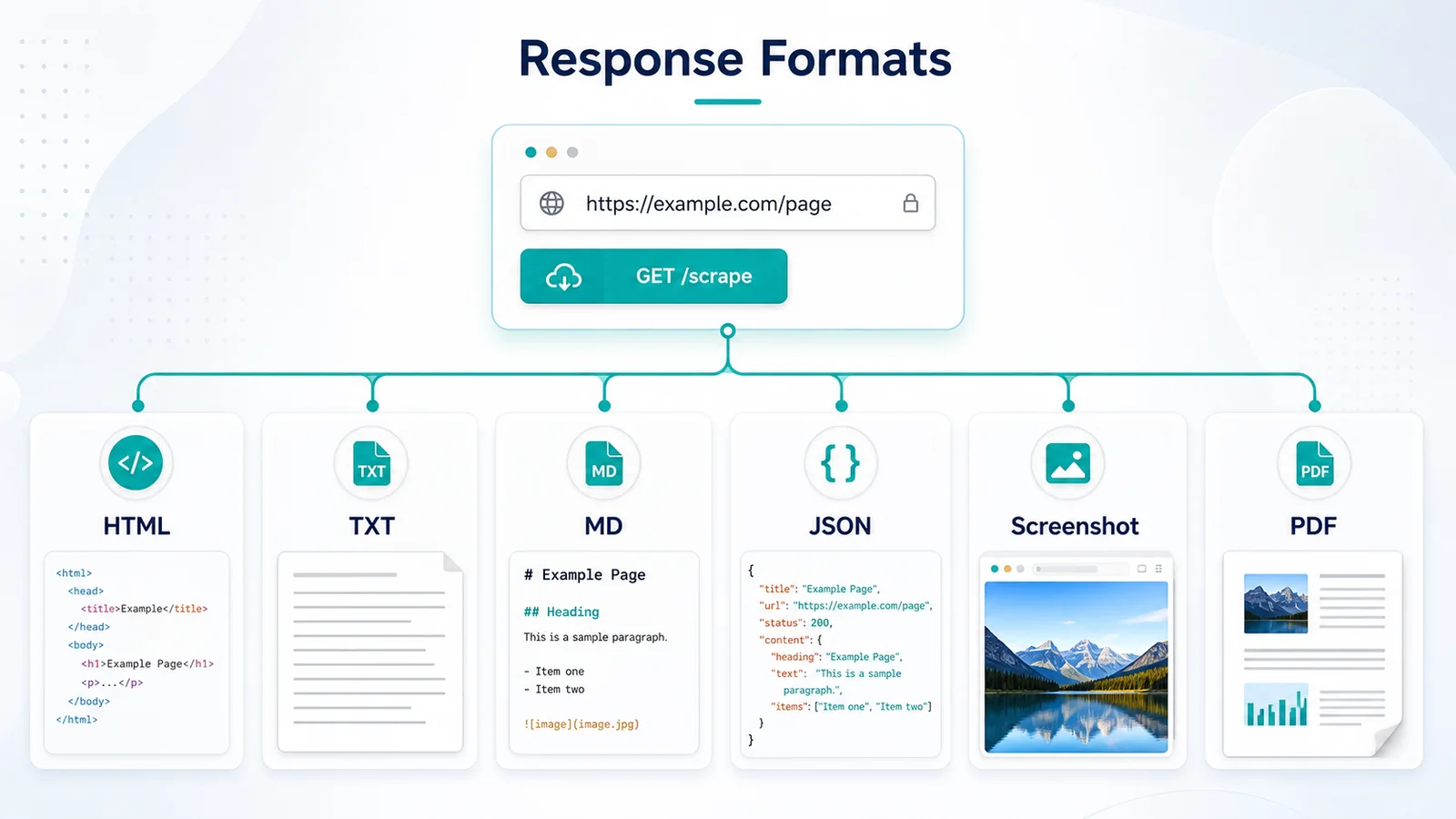
The underlying target may be the same, but the response can serve very different workflows. HTML preserves the page structure. Text removes most markup. Markdown keeps readable structure for content workflows. JSON metadata describes the request and page context. Screenshots and PDFs preserve visual evidence.
The format is separate from the capture method. A page may be fetched through a normal HTTP request or rendered in a browser before the selected output is created.
| Format | Best for | Not ideal for | Output example | Downstream user |
|---|---|---|---|---|
| Raw HTML | DOM parsing, selectors, links, attributes | Clean content ingestion without preprocessing | HTML response body | Backend developer |
| Rendered HTML | JavaScript-generated DOM content | Static pages that already contain the required data | Browser-generated HTML | Scraping engineer |
| Plain text | Search indexing, lightweight analysis, simple review | Workflows that need headings, links, or layout | Clean readable text | Data or search team |
| Markdown | AI/RAG ingestion, editorial review, documentation | Precise DOM extraction | Headings, paragraphs, lists, links | AI product team |
| JSON metadata | Status, final URL, content type, request context | Arbitrary field extraction from the target | Structured response context | Platform engineer |
| Screenshot | Visual QA, monitoring, layout evidence | Searchable structured data | Image artifact | QA or monitoring team |
| Archiving, approval, portable records | Fine-grained content parsing | Downloadable document | Compliance or operations team |
Practical takeaway: treat the output format as part of the application architecture, not as a cosmetic API option.
Why does response format matter after a page is fetched?
The request is only the beginning of a scraping workflow. The response must still move into a parser, search index, AI pipeline, monitoring system, archive, or product interface.
A poor format choice shifts work downstream.
For example, sending raw HTML into an AI ingestion pipeline may require boilerplate removal, navigation filtering, link cleanup, and content normalization. Returning plain text to a parser may remove the DOM relationships needed to identify prices, headings, tables, or product attributes.
The same issue appears in visual workflows. A team that needs proof of how a page appeared may capture HTML first, then maintain separate Playwright or Puppeteer workers to generate screenshots. A suitable visual output can remove that extra layer.
Format choice affects:
- how much cleanup the application performs;
- whether page structure is preserved;
- how easily developers can debug the result;
- whether the response is suitable for automated processing;
- how much storage and bandwidth the pipeline uses;
- whether a separate converter or browser worker is necessary.
Before writing transformation code, test the target through the API Builder. Compare the response body, content structure, size, and usability across formats.
Practical takeaway: choose the format before building converters because downstream cleanup can cost more engineering time than the original request.
When should a scraping workflow use HTML output?
HTML is the right format when the application needs the page’s original structure.
A parser can inspect tags, classes, attributes, headings, links, tables, embedded metadata, and DOM relationships. This makes HTML suitable for custom extraction logic where the application already knows which elements matter.
Common HTML workflows include:
- extracting product fields with selectors;
- discovering links for a crawler;
- parsing structured tables;
- reading canonical tags or metadata;
- identifying page sections by DOM hierarchy;
- storing source markup for later processing.
Raw HTML is the initial server response. It is usually the lightest place to start.
Rendered HTML is the DOM produced after a browser runs the page’s JavaScript. It matters when the required content does not exist in the original response.
| Question | Raw HTML | Rendered HTML |
|---|---|---|
| Where does it come from? | Initial HTTP response | Browser-generated DOM |
| Does JavaScript run? | No | Yes |
| Best for | Static and server-rendered pages | Client-rendered applications |
| Typical latency | Lower | Higher |
| Relative request weight | Lighter | Heavier |
| Main risk | Missing browser-generated content | Using a browser when it is unnecessary |
| Validation method | Search the response for required content | Compare the rendered DOM with raw HTML |
HTML is not automatically better because it contains more information. It can include navigation, scripts, styles, tracking code, and unrelated page elements. That noise is acceptable when a parser needs structural control, but inefficient when the goal is readable content.
Practical takeaway: use HTML when DOM structure is an input to your logic, and choose rendered HTML only when JavaScript creates the content you need.
When are text and Markdown better than HTML?
Text and Markdown are useful when the downstream workflow needs readable page content rather than full DOM control.
Plain text removes most visual and structural markup. It works well for keyword analysis, search indexing, content comparison, simple classification, and workflows where headings or links are not essential.
Markdown preserves more meaning. Headings, paragraphs, lists, and links remain easier to interpret than they would be in flat text. This often makes Markdown useful for:
- RAG document preparation;
- LLM ingestion;
- editorial review;
- knowledge-base imports;
- prompt context;
- documentation analysis;
- content migration.
Markdown is not a substitute for precise HTML parsing. If the application must identify a product price by a specific selector, distinguish navigation links from body links, or inspect attributes, HTML remains the safer choice.
Markdown quality also depends on the source page. Clean editorial pages usually convert more predictably than highly interactive layouts, dashboards, complex tables, or pages with fragmented content.
| Workflow | Recommended format | Optional format | Why |
|---|---|---|---|
| Custom parser | HTML | JSON metadata | Preserves selectors and DOM relationships |
| AI/RAG ingestion | Markdown | Text or HTML | Keeps readable hierarchy and links |
| Search indexing | Text | Markdown | Reduces markup and processing noise |
| Content monitoring | Text or HTML | Screenshot | Supports machine comparison and visual review |
| QA review | Screenshot | HTML | Shows rendered appearance with source evidence |
| Archive | HTML or screenshot | Creates a portable record | |
| Reporting | Text or Markdown | Screenshot | Supports summaries with visual context |
A good AI workflow may use more than one format. Markdown can supply readable content, while JSON metadata records the final URL, content type, status, and capture context.
Practical takeaway: use text for compact readable content, Markdown for preserved document structure, and HTML when extraction depends on the DOM.
What should teams expect from JSON metadata output?
JSON metadata provides structured context about the capture and response. It does not automatically turn every target page into a custom business schema.
Useful metadata may include information such as:
- request status;
- target URL;
- final URL after redirects;
- content type;
- response size;
- timing or request context;
- selected response format;
- capture or routing details supported by the API.
This structure is valuable for logging, monitoring, debugging, and coordinating downstream processing. A pipeline can use metadata to decide whether the body should be parsed, stored, retried, or rejected.
However, JSON metadata should not be confused with arbitrary schema extraction.
For example, a JSON response does not necessarily mean the API will automatically identify every product name, price, rating, author, company, or article field on any website. Target-specific extraction still requires parser logic, supported extraction features, or a separate transformation layer.
A practical pattern is to combine metadata with another response:
- HTML plus metadata for parser workflows;
- Markdown plus metadata for AI ingestion;
- screenshot plus metadata for QA evidence;
- PDF plus metadata for archival records.
Practical takeaway: use JSON metadata to understand the request and page context, not as an assumption that every page will become a custom structured dataset.
When are screenshots and PDFs the right scraping API output?
Screenshots and PDFs are appropriate when visual appearance is part of the evidence.
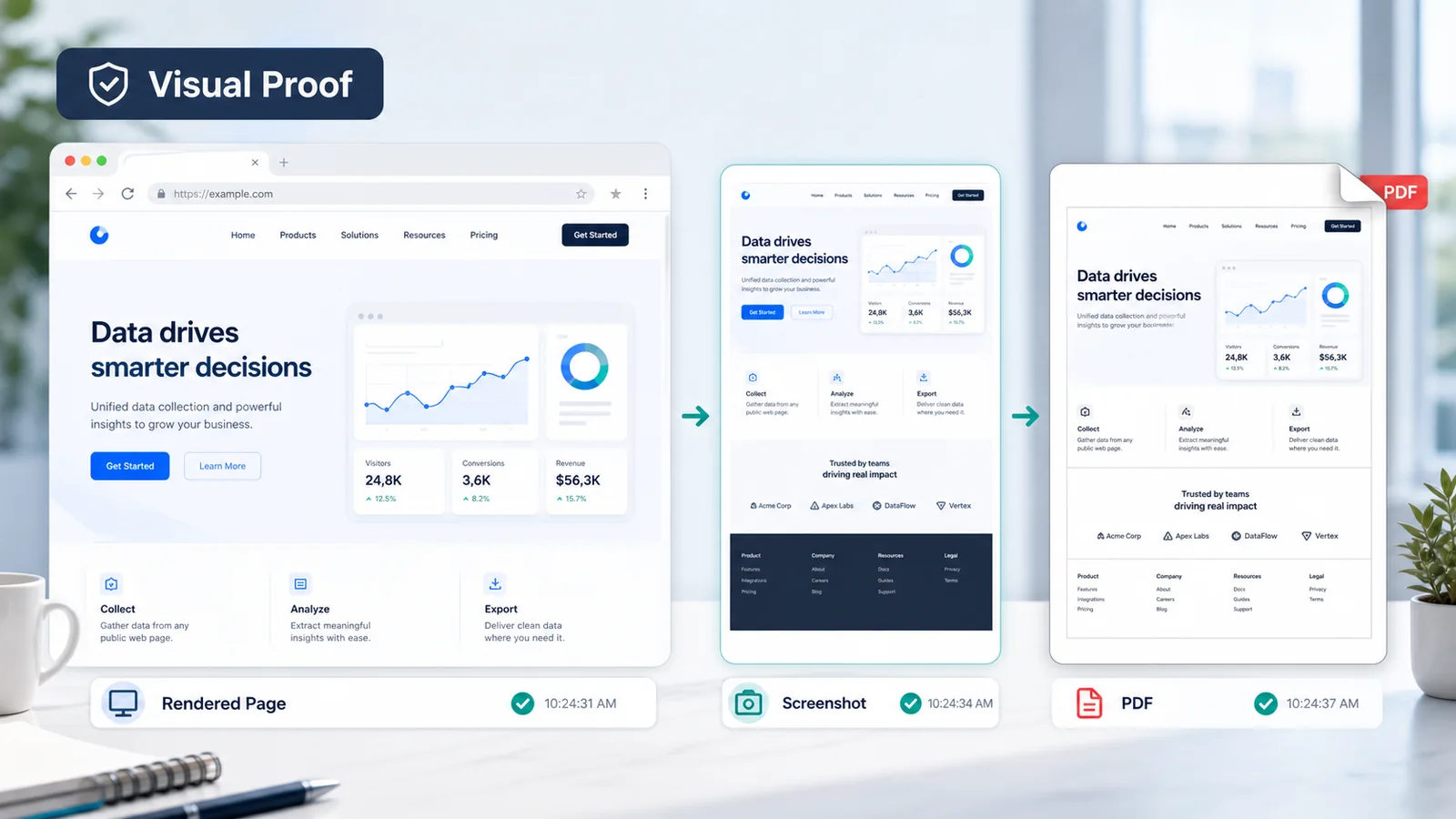
HTML and text can show what content was returned, but they may not prove how the browser displayed the page. A screenshot can capture layout, visible errors, consent screens, missing components, responsive changes, or region-specific presentation.
Screenshots are useful for:
- visual regression monitoring;
- rendered-page QA;
- layout verification;
- campaign and landing-page review;
- issue reproduction;
- human approval workflows.
PDFs are better when the result must be stored, shared, printed, reviewed, or retained as a document-like artifact. They can support archive, compliance review, approval, and operational recordkeeping.
| Evidence format | Best use | Main advantage | Main limitation |
|---|---|---|---|
| Screenshot | Visual QA and page-state evidence | Shows what appeared in the viewport | Not convenient for structured searching |
| Archive, review, and portable records | Preserves a document-like artifact | Larger and harder to parse | |
| HTML | Source and DOM evidence | Machine-readable structure | May not match final visual appearance |
| Text or Markdown | Content evidence | Easy to search and analyze | Loses visual layout |
Visual output should complement machine-readable data, not replace it. A monitoring workflow may compare HTML or text automatically and generate a screenshot only when a meaningful change is detected.
Screenshots and PDFs are also heavier than plain text or raw HTML. Review current credit options on Pricing before generating visual artifacts for every request.
Practical takeaway: choose screenshots for visual state and PDFs for portable records, while keeping HTML or text when the system also needs machine-readable evidence.
How does JavaScript rendering change response format quality?
JavaScript rendering improves output quality only when the target depends on browser execution.
A raw HTTP response may contain a complete article, product page, or documentation page. In that case, rendering adds latency and request weight without improving the selected format.
Other pages return an application shell and load content after the browser starts. A Markdown or screenshot response created before that content appears may be incomplete. Rendering allows the browser to build the DOM before ScraperFly produces the requested output.
Common signs that rendering may be required include:
- the raw HTML does not contain visible page text;
- lists or tables appear only after page load;
- client-side frameworks insert the main content;
- a screenshot shows an empty shell;
- the target loads data through background requests;
- delayed components require a controlled wait.
Do not assume that Markdown, screenshot, or PDF output automatically requires rendering. The decision should come from target behavior.
Test the page without rendering first. Search for the required content. Then compare the response with a browser-enabled request using the JavaScript rendering API.
Practical takeaway: rendering improves a format only when browser execution changes the content that format is built from.

A production format should be selected from the downstream requirement backward.
Use this decision process:
- Define the consumer. Identify whether the response goes to a parser, LLM, search index, QA reviewer, archive, or monitoring system.
- Define the evidence needed. Decide whether the workflow needs DOM structure, readable content, request context, visual appearance, or a portable record.
- Test raw capture first. Confirm whether the necessary content exists without browser rendering.
- Compare formats on one target. Evaluate HTML, text, Markdown, metadata, or visual output using the same public URL.
- Measure cleanup. Choose the response that requires the least reliable custom transformation.
- Check response size and weight. Avoid storing or generating more data than the application uses.
- Document the request profile. Record the chosen format, rendering setting, waits, routing, headers, and expected output.
The selected format may differ by target group. Editorial pages may fit Markdown, ecommerce pages may require HTML, and visual monitoring may combine text with screenshots.
One global response profile is convenient, but it is rarely optimal for a mixed production workload.
Practical takeaway: choose formats per workflow class, validate them on representative targets, and record the proven request profile before scaling.
How do response formats affect cost and request weight?
Response formats affect bandwidth, storage, processing time, and API credits.
A basic HTML or text response is usually lighter than a browser-rendered screenshot or PDF. The difference becomes important at production volume.
| Output profile | Relative weight | Cost is justified when | Avoid when |
|---|---|---|---|
| Raw HTML | Light | DOM or source markup is required | Only readable content is needed |
| Plain text | Light | Compact content processing is the goal | Structure and links matter |
| Markdown | Light to moderate | AI or editorial workflows benefit from hierarchy | Precise DOM extraction is required |
| JSON metadata | Light | Request context supports operations | It is expected to replace parsing |
| Rendered HTML | Higher | JavaScript creates required content | Raw HTML is already complete |
| Screenshot | Higher | Visual proof or QA is required | Every request is machine-processed only |
| Higher | A portable archived record is required | The artifact is never reviewed or retained |
Cost control should begin with representative targets. Group requests by format and rendering need rather than pricing every URL as though it requires the heaviest profile.
ScraperFly credits make it possible to connect request weight to enabled controls. Teams can start with a free test, compare formats, and estimate the actual workload using the web scraping API credit cost calculator.
Practical takeaway: reserve rendered and file-based outputs for workflows that use their extra evidence.
What mistakes should teams avoid when choosing scraping API output?
The most common mistake is choosing a familiar format instead of the format the product needs.
Avoid these patterns:
Sending HTML everywhere. Raw markup adds unnecessary cleanup to content and AI pipelines.
Using text for precise extraction. Plain text removes DOM relationships that parsers may depend on.
Assuming Markdown is perfect for every page. Complex tables, interactive components, and unusual layouts may not convert cleanly.
Treating JSON metadata as custom extraction. Structured request context is not the same as a target-specific business schema.
Generating screenshots for machine-only workflows. Visual files add weight but provide little value when no human or visual comparison system uses them.
Using PDF as a parser input. PDFs are useful records but are rarely the most efficient source for structured extraction.
Rendering every request. Browser execution should solve a demonstrated content gap.
Building converters before testing formats. A team may spend days reproducing an output the API can already return.
Using one format for every target. Different page types and downstream consumers often need different profiles.
Test representative pages through the API Builder, compare the output, and choose based on usability rather than format popularity.
Practical takeaway: validate the response with its real downstream consumer before committing the production architecture.
BUYER QUESTIONS
Common questions before choosing a response format
Answer practical evaluation questions around HTML, text, Markdown, JSON metadata, screenshots, PDFs, rendering, request weight, and production usability.
OUTPUT FAQMarkdown, text, and AI pipelines
Pick readable output when the consumer is search, RAG, editorial review, or lightweight content analysis.
Is Markdown always the best format for an AI or RAG pipeline?
No. Markdown is useful when headings, lists, and links improve document context. Plain text may be better for compact processing, while HTML may be required when content must first be selected from specific DOM elements.
Can one application use different response formats for different targets?
Yes. A production application can classify targets by workflow. Documentation pages may use Markdown, product pages may use HTML, and visual monitoring targets may use screenshots.
HTML plus response context
Use structured context to debug, route, and log requests without pretending metadata is a custom extractor.
Can a scraping API return HTML and metadata for the same workflow?
Yes, a workflow can use page content together with response context. HTML supports parsing, while metadata can record the status, final URL, content type, response size, and other request details supported by the API.
Does JSON output automatically extract products or article fields?
No. JSON metadata describes the capture or response. It should not be interpreted as automatic extraction of arbitrary fields such as prices, authors, ratings, or product attributes.
Screenshots, PDFs, and rendered output
Add visual artifacts when review, archive, or appearance evidence matters, not for every machine-only request.
Should screenshots be generated for every monitored page?
Usually not. Machine-readable HTML or text is better for automated comparison. Screenshots are most valuable when a change requires visual confirmation, human review, or layout evidence.
What is the difference between rendered HTML and a screenshot?
Rendered HTML contains the DOM after browser execution and remains suitable for parsing. A screenshot is an image showing how the page appeared visually. The two formats answer different questions.
When should a scraping workflow use PDF output?
Use PDF when the captured page must become a portable document for review, approval, archive, or recordkeeping. Use HTML, text, or Markdown when automated processing is the main requirement.
Testing before integration
Compare the formats on representative targets before the team builds converters or scales a heavy profile.
How should developers compare formats before integration?
Run the same representative target URL through the API Builder using several formats. Compare structure, missing content, response size, rendering needs, cleanup requirements, and downstream usability before selecting the production profile.
Test the response shape before committing the architecture
A scraping pipeline becomes easier to maintain when the API returns the shape the product can use immediately.
ScraperFly lets teams capture public pages as HTML, text, Markdown, JSON metadata, screenshots, or PDFs through one request model. Start with a representative target, compare formats in the API Builder, enable browser rendering only when the page requires it, and keep visual outputs for workflows that use visual evidence.
The best response format is not the one with the most data. It is the one that removes unnecessary processing while preserving the evidence your application needs.