Main API layer
Build the request profile before your product depends on the data
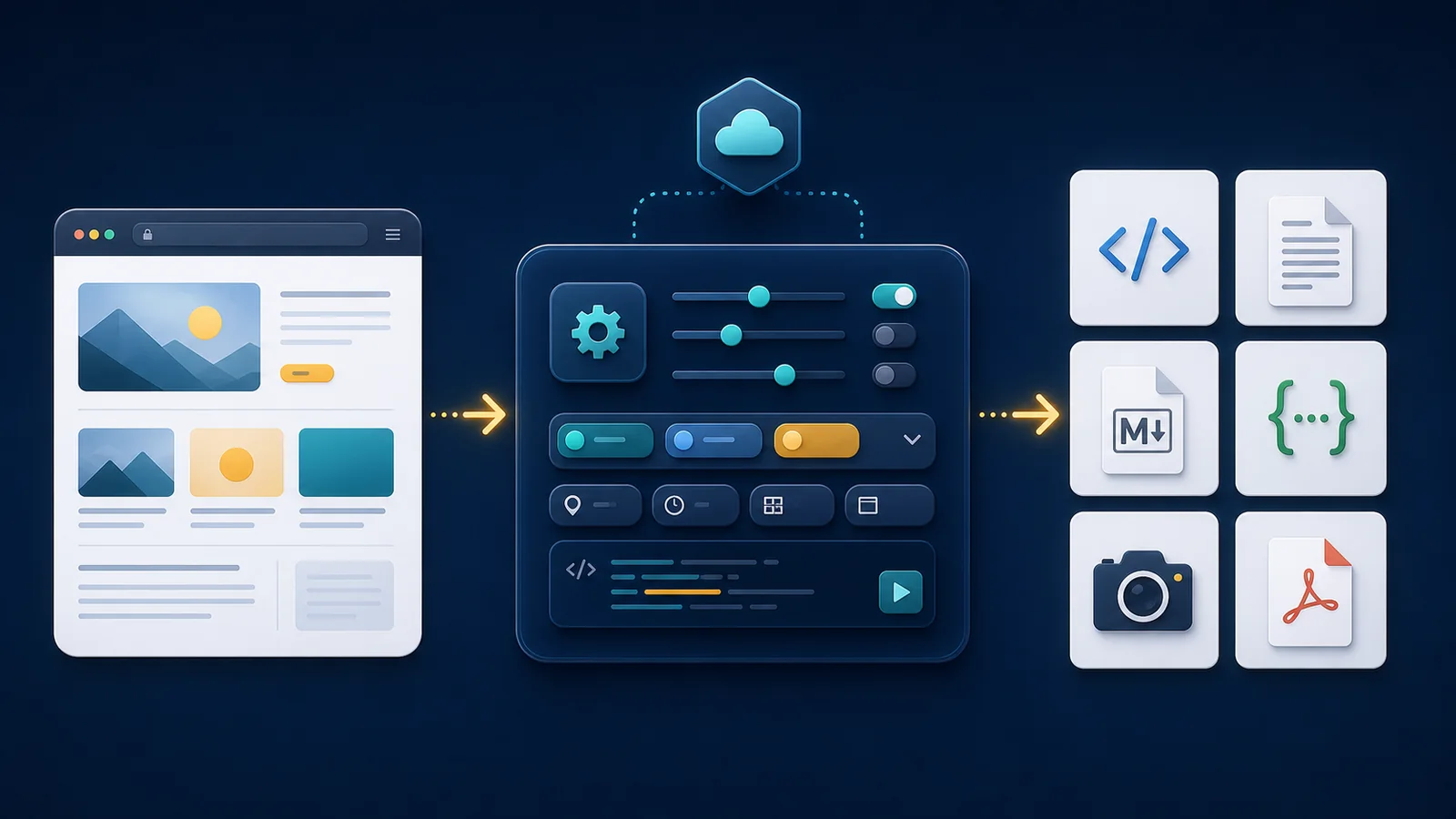
A web scraping API gives your product one dependable way to fetch public web pages, inspect the response, and return usable output without owning every moving part of scraping infrastructure. Your team sends a target URL and a clear request profile. ScraperFly handles the capture layer, then returns HTML, text, Markdown, JSON metadata, screenshots, or PDFs in the shape your workflow can use.
The practical advantage is control. A simple page should stay a light HTML request. A JavaScript page can be rendered when the useful content is missing from source HTML. A hard target can add sessions, headers, country routing, or premium delivery after the response proves those controls are needed. That path keeps testing cheaper, production behavior easier to explain, and engineering time focused on the product instead of browser and proxy maintenance.

What does a web scraping API actually replace?
A web scraping API replaces the capture infrastructure around public page retrieval. Without it, a team often has to maintain HTTP clients, browser workers, proxy pools, retry logic, timeout rules, header forwarding, session state, output converters, screenshot capture, PDF generation, logs, and monitoring around every target. That work can be useful for a very specialized platform, but it is rarely the core value of the product that needs the data.
ScraperFly moves that operational layer behind one API surface. The application still owns what matters downstream: choosing targets, parsing fields, validating data quality, storing records, comparing changes, generating alerts, or feeding AI and analytics systems. ScraperFly focuses on getting a public page response into a dependable shape so the next system starts from evidence instead of a fragile homemade fetch.
Practical takeaway: use a web scraping API when your product needs public page evidence, not another internal platform for browser, proxy, retry, and conversion work.
How should the first request be built?
The first request should be intentionally boring. Send the public URL, ask for the smallest useful output, and inspect the result. If source HTML contains the content your parser needs, keep the request simple. If the page returns only a thin app shell, empty markup, or content that appears after frontend JavaScript runs, enable rendering for that target. If the response changes by language, consent state, location, or previous steps, then evaluate headers, cookies, sessions, or country routing.
This is the same logic reflected in the page’s request-builder block below: build one reliable request, then add controls only when the target proves it needs them. The point is not to hide advanced features. The point is to keep each feature attached to a reason. Rendering solves browser-created content. Sessions preserve state across related requests. Headers carry legitimate request context. Premium or country routing helps when delivery evidence shows the default path is not enough. Screenshots and PDFs create visual proof when machine-readable output alone cannot tell the full story.
| Request decision | Start with | Add more when | Why it matters |
|---|---|---|---|
| Basic public page capture | URL plus HTML output | Source HTML is incomplete or unusable | Keeps the first test fast, cheap, and easy to debug. |
| JavaScript-created content | Raw HTML comparison | The browser changes the useful content | Rendering becomes an evidence-based control, not a default tax. |
| Stateful or regional pages | Simple request with response metadata | Language, cookies, route state, or location changes the response | Sessions, headers, and routing stay tied to target behavior. |
| Review, QA, or archive workflows | Machine-readable output | Someone needs proof of how the page looked | Screenshots and PDFs complement parsable data instead of replacing it. |
Which response format should the API return?
The best response format is the one your next system can use with the least cleanup. HTML is right when selectors, tables, links, attributes, or DOM relationships matter. Rendered HTML is useful when frontend JavaScript creates the markup your parser needs. Text is lighter when the workflow only needs readable page content. Markdown helps AI, RAG, summarization, documentation, and review workflows because headings and links remain easier to understand than plain text.
JSON metadata is useful for operational context: status, final URL, content type, timing, and response details that help logs and debugging. It does not replace custom extraction. Screenshots and PDFs serve a different job: visual evidence. They help with monitoring, QA, compliance review, approvals, and archives, but they are heavier and usually less convenient for machine parsing.
| Output | Best suited to | Main advantage | Trade-off |
|---|---|---|---|
| Raw or rendered HTML | DOM parsing, selectors, tables, links | Preserves structure and page relationships | Requires parser logic and cleanup downstream |
| Text | Search, indexing, lightweight analysis | Compact and easy to process | Removes most structural context |
| Markdown | AI, RAG, summaries, content review | Keeps readable headings, lists, and links | Not ideal for precise DOM extraction |
| JSON metadata | Logging, diagnostics, workflow routing | Makes request evidence easier to inspect | Does not replace target-specific field extraction |
| Screenshot or PDF | QA, monitoring, approvals, archives | Shows what the rendered page looked like | Heavier and less convenient for parsing |
When do rendering, sessions, headers, and proxy routing matter?
Advanced controls matter when they solve a specific target problem. Browser rendering matters when the data is created after JavaScript execution. Waits matter when the browser loads the right state late. Headers matter when the public target expects legitimate context such as language, content type, referrer, or a specific user-agent pattern. Sessions matter when related requests depend on shared cookies or route state. Country routing matters when public content changes by location, currency, availability, or regulation. Premium routing matters when response evidence shows standard delivery is not returning a usable page.
That order is important. Enabling everything at once can make a request more expensive, slower, and harder to diagnose. A better workflow is to test representative pages, compare the response size and content, inspect the final URL and status, and then choose the smallest request profile that reliably produces the needed artifact. This also makes production recovery clearer: if a target starts returning a redirect, timeout, empty shell, or unexpected content type, the team knows which part of the request profile to review.
Practical takeaway: add rendering, sessions, headers, routing, or visual output when the response proves they improve capture quality, not because they are available.
How does ScraperFly keep the buying path lower-risk?
A scraping project often starts uncertain. The team may not know whether the target is static, JavaScript-heavy, location-sensitive, session-dependent, or difficult to deliver. Locking that work into heavy infrastructure or a large recurring plan before testing the target creates risk. ScraperFly is positioned for a simpler path: start with free credits, validate real pages, buy credits when a project needs them, and move to monthly credits when recurring demand is clear.
That model fits the technical workflow. A light request should stay light. A heavier rendered or routed request should be used when it creates value. Visual files should be generated when someone needs visual proof. The API Builder supports the same buying logic because it lets the team inspect a real request before writing glue code or scaling batches. Cost control is not just a pricing concern; it is a request-design habit.
What should stay downstream from the scraping API?
ScraperFly should not be framed as a magic extractor that turns every public page into a perfect dataset. The API captures public page output and provides controls for rendering, routing, sessions, headers, formats, and visual evidence. Your product still decides what the data means. Field mapping, entity normalization, deduplication, quality checks, alerts, scoring, storage, and business logic stay downstream where they belong.
This boundary makes the product more trustworthy. A web scraping API should help a developer obtain reliable source evidence and then let the application apply its own rules. That is especially important for AI, monitoring, analytics, and automation workflows, where bad source evidence can lead to bad summaries, false alerts, duplicate records, or expensive retries.

Where should a team go after understanding the basics?
The next step is to build a real request, not a theoretical architecture. Use the API Builder to test a public URL, compare output formats, and decide whether the page needs rendering, sessions, headers, routing, or visual capture. If the main question is output shape, review the web scraping API response formats page. If the page is JavaScript-heavy, compare the result against the JavaScript rendering API guidance. If state matters across requests, the sessions API page explains when shared context is useful.
Once the request profile is proven, move it into the backend, worker, agent, parser, monitor, or archive workflow that needs the data. That is the core ScraperFly promise: one practical API layer for public web data, with controls that stay visible from the first test to production.