ScrapingBee alternative
Use rendering as a decision, not a default tax
ScrapingBee is often shortlisted by teams that need JavaScript rendering, proxy-backed delivery, screenshots, and a simple scraping API around public pages. That makes sense when the first pain is a page that does not behave like static HTML.
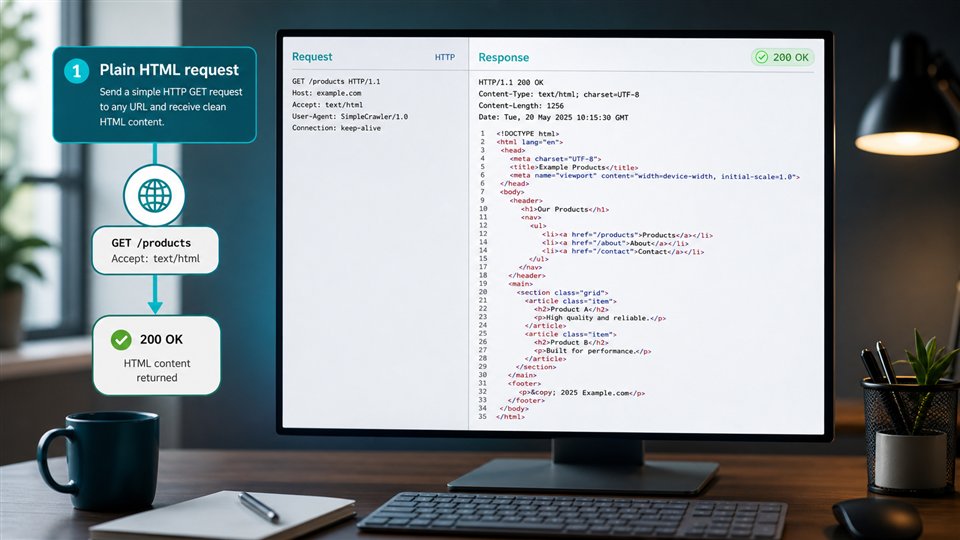
ScraperFly is the better fit when the team wants rendering to sit inside a broader capture workflow. Start with the public URL, inspect source HTML, compare rendered output only when the page requires it, then choose the response shape your product can actually use: HTML, text, Markdown, JSON metadata, screenshot, or PDF. The result is a request profile that is easier to debug and easier to justify before recurring volume grows.

What should a ScrapingBee alternative solve?
A ScrapingBee alternative should help the team decide when rendering is truly needed and what should happen after the browser captures the page. Rendering is valuable when frontend JavaScript creates the useful content, but it does not answer every downstream question. The product may need DOM structure for parsing, Markdown for AI ingestion, text for indexing, metadata for logs, screenshots for QA, or PDFs for records.
ScraperFly keeps those choices explicit. The first request can stay simple when the source response already contains the data. If the page returns a thin shell, delayed content, client-side product cards, or a rendered layout that matters for review, browser execution can be enabled for that target. That gives teams a cleaner path than treating every page as a browser job before proof exists.
Practical takeaway: the best ScrapingBee alternative helps your team prove when rendering matters and return the output your workflow needs after capture.
Where is ScraperFly the stronger fit?
ScraperFly is strongest when rendering is one control among several. A production scraping workflow may also need sessions, headers, country targeting, premium routing, wait timing, response metadata, visual proof, and flexible credit usage. If those decisions are separated from the first request, teams often end up with extra glue code and unclear costs.
With ScraperFly, the request profile stays in one place. Developers can test the target, compare raw and rendered responses, decide whether waits or routing change the result, and then copy a canonical request into the backend. That makes the evaluation practical for engineering teams instead of just a feature checklist.
| Decision point | ScraperFly approach | Why it matters |
|---|---|---|
| Static public page | Start with source HTML or a lighter response format. | Simple pages should not pay the latency and cost of browser execution. |
| JavaScript-built content | Enable rendering and compare the captured state. | Browser execution becomes a targeted fix for missing content. |
| Late-loading sections | Use wait timing only when samples show the page needs it. | Timing controls stay tied to real page behavior. |
| AI or content workflow | Return text or Markdown instead of forcing every page through custom cleanup. | The response moves faster into review, RAG, search, or summarization pipelines. |
| QA or archive proof | Generate screenshots or PDFs for pages that need visual evidence. | Visual files support review without becoming the default for machine-only jobs. |
When can ScrapingBee still be a reasonable choice?
ScrapingBee can be reasonable when the team mainly wants a JavaScript-capable scraping API with proxy handling, screenshot capture, geotargeting, and a familiar developer experience. If the target set is already known to require rendered browser output and the downstream response needs are straightforward, it belongs in the comparison.
ScraperFly is stronger when the buyer wants to avoid making rendering the center of every decision. It gives teams more room to classify targets, choose formats, keep light requests light, and add heavier capture controls only when the evidence says the page needs them.
How should teams compare rendered output?
The right comparison starts with samples. Pick representative public pages, request source HTML, then request rendered output and compare the difference. Look at final URL, status, response size, source body, rendered body, screenshot state, and whether the downstream product can parse or use the result. A rendered page is only better when it adds useful information or visual proof.
This matters because JavaScript rendering can hide two different problems. Sometimes the page genuinely needs browser execution. Sometimes the page is blocked, redirected, missing context, or returning content that is usable without rendering. ScraperFly helps separate those cases before teams scale the same request profile across a batch.
| Comparison signal | What to inspect | Better next action |
|---|---|---|
| Source HTML contains the content | Selectors, tables, links, text, metadata, response size. | Keep the request light and choose the smallest useful output. |
| Source HTML is an app shell | Rendered HTML, screenshot, wait timing, browser state. | Enable rendering for that target and inspect whether the useful content appears. |
| Rendered output is still wrong | Final URL, redirects, challenge pages, locale, consent, session state. | Review headers, sessions, country targeting, or routing before retrying blindly. |
| Output is useful but hard to consume | Consumer needs: parser, AI, monitor, archive, QA, dashboard. | Switch between HTML, text, Markdown, metadata, screenshot, or PDF. |
How does ScraperFly make rendering cost easier to manage?
Rendering usually costs more than a simple fetch because the API has to run browser work. That is acceptable when rendering unlocks the content, but wasteful when source HTML already contains what the product needs. ScraperFly keeps the pricing conversation connected to request weight: start free, test the real target, buy credits for uneven work, and move recurring jobs to monthly credits only when the request profile is proven.
Use the API Builder to compare raw and rendered capture before writing production code. Review JavaScript rendering when the page is browser-built, check response formats when the consumer matters, and use pricing once you know which controls the target actually needs.
Practical takeaway: ScraperFly makes rendering a controlled production choice: prove the page needs it, choose the output shape, and keep heavier requests attached to real value.