Regional search evidence
Capture the local result page before comparing rankings
Local search analysis starts with a simple problem: two people can search the same query and see different public results. Country, language, city context, device assumptions, search features, map packs, and rendered modules can all change what appears on the page. ScraperFly gives teams a controlled way to capture those public SERP pages before a downstream system calculates rank, coverage, visibility, or competitive movement.
This makes the workflow more honest. ScraperFly is the capture layer, not a local SEO dashboard. Your product still owns keywords, schedules, rank normalization, alerts, dashboards, and reporting. ScraperFly helps preserve the source response, request context, output format, and visual proof so those downstream decisions start from evidence.

What is a local SERP scraping API?
A local SERP scraping API captures public search result pages that vary by location or market. The response can be used by a downstream SEO, market research, lead discovery, or competitive intelligence workflow to inspect result order, local packs, map modules, snippets, business listings, sponsored markers, and page layout. The API handles the request and response layer while your own application decides what the result means.
The important word is evidence. A rank is only useful when the system can explain where it came from: the query, the regional context, the final URL, the response status, the rendered state, the visible SERP features, and the capture time. Without that context, a local visibility report can confuse real movement with capture differences, personalization, language mismatch, thin HTML, redirects, or temporary blocks.
Practical takeaway: treat local SERP scraping as evidence capture first, then build ranking logic, dashboards, and alerts on top of the captured page state.
Which local search signals should be captured?
Useful local SERP data is wider than a numeric position. Teams often need the query, market, country, language, final URL, result title, visible URL, snippet, organic order, local pack presence, map module state, business name, rating, review count, category, address clues, sponsored markers, related questions, result type, timestamp, and screenshot when layout proof matters. A good capture record helps a reviewer understand both the result and the conditions that produced it.
ScraperFly supports that workflow by returning different response shapes. HTML or rendered HTML works for parsers. Text and Markdown help reviewers inspect the page without reading markup. JSON metadata helps store diagnostic context beside the parsed result. Screenshots or PDFs are useful when a local pack, map module, or mixed SERP layout needs visual confirmation.
| Signal group | Examples | Why it matters |
|---|---|---|
| Query context | Keyword, city modifier, language, country, device assumptions | Local results change when the search context changes. |
| Organic results | Title, URL, snippet, rank, result type, visible domain | Core ranking evidence needs stable parsing and repeatable samples. |
| Local features | Map pack, business cards, ratings, review counts, address clues | Local visibility often depends on modules beyond blue links. |
| Layout proof | Screenshot, PDF, rendered state, visible modules | Visual proof helps validate mixed SERP features and disputed changes. |
| Capture diagnostics | Status, final URL, content type, response size, timestamp | Operational evidence separates real ranking changes from capture problems. |
Why are local SERPs harder than ordinary page capture?
Local search result pages are shaped by context. A query can return a different layout in another country, language, or city. Some result modules may be assembled after browser execution. Some pages may change when cookies, accepted language, or regional routing change. A search result page can also return a page that looks successful but is not the comparable result set your workflow expected.
That is why a local SERP workflow needs controlled sampling. Keep the query and request settings explicit. Compare response size, final URL, status, and visible result modules. Use rendering when raw HTML misses the useful result state. Use screenshots for layout evidence. Add routing, headers, sessions, or premium delivery when the response proves those controls improve capture quality, not as a default for every keyword.
When should rendering, routing, headers, or sessions be used?
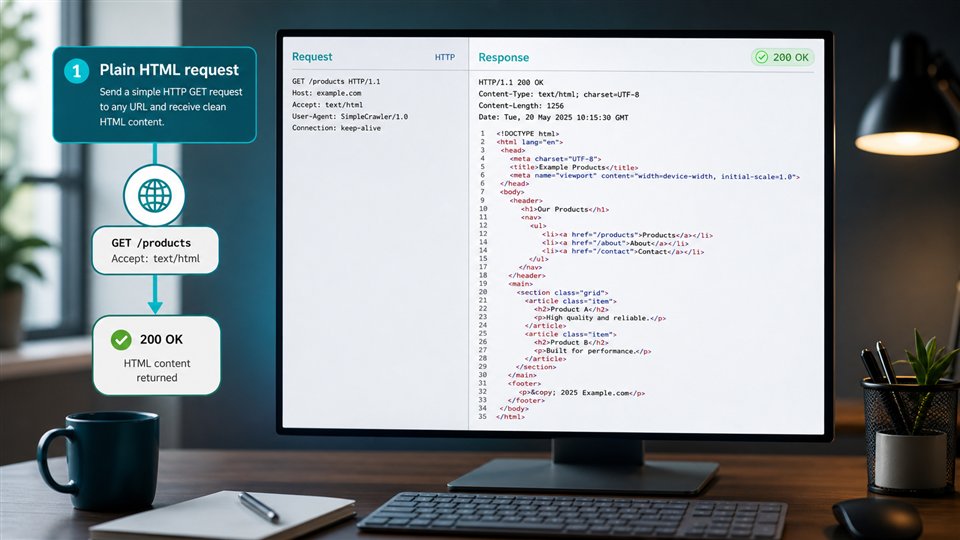
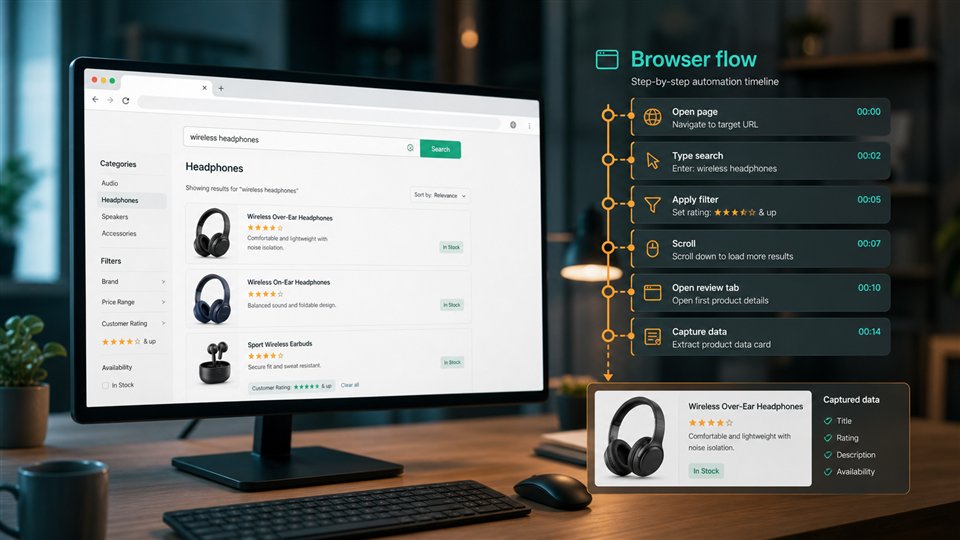
Use rendering when the local result module, map pack, related question block, or visible result state appears only after browser execution. Compare raw HTML with rendered output before making rendering the default. If source HTML already contains the result data, keep the request lighter. If rendered output changes the evidence, document that page type and use browser execution for that class of SERP capture.
Use country routing when the public result page needs a specific market view. Use headers when language or accepted content context matters. Use sessions only when continuity changes the public result state, such as a stored preference or a multi-step interaction. Use stronger delivery when repeated response evidence shows that the standard route is not returning a usable page. This keeps the workflow affordable and easier to diagnose.
Related setup pages are useful when tuning the request profile: JavaScript rendering API, country targeting, custom headers scraping API, and sessions API.
How should teams compare local SERP samples?
Comparison should start with consistency. Use the same query format, market context, output format, and capture rules for comparable samples. Store enough context to explain each result: query, country, language, timestamp, final URL, response metadata, and whether rendering or screenshots were used. Then the downstream system can calculate rank, group result types, detect feature changes, or flag a sample for review without losing the capture trail.
For local SEO, it is especially important to avoid mixing incompatible samples. A desktop-style SERP should not be compared blindly with a mobile-style layout. A country-level result page should not be treated as a city-specific result. A rendered map module should not be compared with a raw HTML response that never loaded the module. The capture record should make those differences visible before the report turns them into a trend.
| Comparison risk | What to store | Practical guardrail |
|---|---|---|
| Location mismatch | Country, language, query variant, route context | Compare only samples with equivalent market assumptions. |
| Layout mismatch | Rendered state, screenshot, result feature labels | Separate organic links, local packs, ads, and rich modules. |
| Capture failure | Status, final URL, response size, content type | Do not turn fallback pages or empty shells into ranking changes. |
| Request drift | Headers, sessions, routing, rendering setting | Keep profiles stable across recurring checks. |
What should stay downstream from ScraperFly?
ScraperFly should not be positioned as a complete local SEO platform. It does not decide your keyword strategy, schedule campaigns, normalize every ranking model, score business visibility, or replace your reporting layer. Those choices depend on your markets, competitors, customers, and SEO methodology. ScraperFly focuses on capturing public pages and returning the response in formats your workflow can inspect.
This separation is useful for serious teams. A local SEO dashboard can change its scoring method without changing the capture layer. A market research workflow can collect the same page evidence for a different purpose. A lead discovery system can parse business listings from the captured page and apply its own qualification rules. Each system benefits from the same foundation: clear source evidence and visible request controls.
How should teams start with ScraperFly?
Start with a small set of representative queries and regions. Test one simple result page, one page with a local pack, one query with ads or rich modules, one region-sensitive query, and one result that may require rendering. Use the API Builder to compare HTML, rendered HTML, text, Markdown, metadata, screenshots, and PDFs before production code depends on the output.
Once the request profile is proven, scale in groups. Keep simple SERPs on lighter requests. Use rendering for result layouts that need it. Add country targeting, headers, sessions, or premium routing only when the response evidence supports the choice. For broader use-case context, compare SERP rank tracking, search scraping, and response formats before building converters or recurring jobs.